
Compare

A lighter alternative to Office Timeline

If template-led add-in workflows feel heavier than the slide you need to build, a browser workflow can be the better fit.

Compare

When a lighter workflow is the more practical choice

If both options can produce a roadmap slide, the better fit is usually the one that gets you to a usable result with less setup and less repeat friction.

Why teams start looking for an alternative

Office Timeline works for many teams, but it still assumes a PowerPoint add-in and a template-led workflow. That can feel heavier than necessary when the slide itself is straightforward but still needs to look credible.

  • Add-in setup and account or license handling create friction before the first usable result.
  • Template-led workflows can feel rigid when the story, audience, or layout changes late in the process.
  • Many teams evaluating alternatives want a faster first result, not more configuration options.
When the browser workflow is the better fit

Lupus Labs keeps the workflow narrower: open the browser, shape the roadmap around the actual story, and judge the result instead of the setup model.

Choose Lupus Labs when you want a roadmap workflow that starts faster than a template-plus-add-in flow and still produces a slide you would actually present.

Benefits

Where a leaner route helps in practice

The gain shows up in real project work: less tool overhead at the start, less cleanup before the deck goes out, and a faster path to the next update.

Less template lock-in

The workflow is easier when the story changes late and you need the slide to bend around the message rather than the message around a template.

Faster to test on real work

You can judge the workflow on a real update immediately instead of spending the first session on add-in setup and template orientation.

Easier to keep lightweight

If roadmap slides recur in status cycles or client decks, reducing friction on every iteration matters more than adding more process around them.

Compare

At the end, the slide still has to hold up in the deck

A simpler workflow only matters if the exported slide already looks strong enough for a steering deck, client update, or internal review.

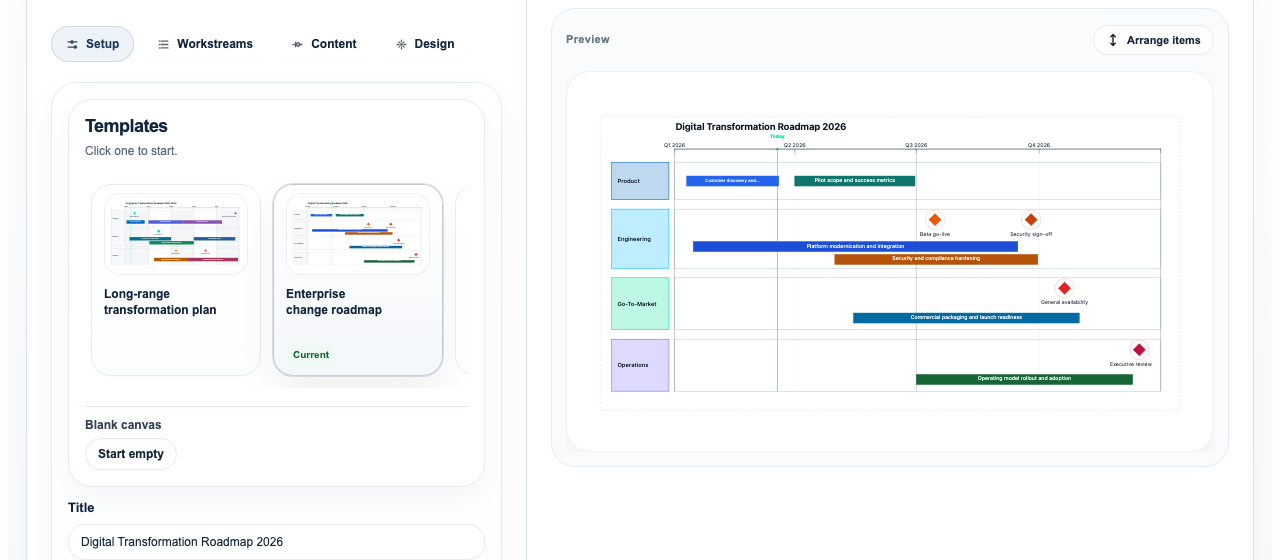
Browser-based roadmap editor used as proof on an Office Timeline alternative page
A browser workflow focused on getting to a usable roadmap slide quickly without add-in overhead.

FAQ

Questions that usually come up in the decision

When is Lupus Labs the better fit than Office Timeline?

Usually when you want the fastest route to one strong roadmap slide and do not want the extra friction of an add-in plus a template-led process.

When might Office Timeline still make sense?

Office Timeline may still suit teams that prefer to stay entirely inside PowerPoint and are comfortable building from an add-in and template structure.

What usually improves in the lighter workflow?

The gain is usually speed and flexibility at the start. You can test the slide on real work faster and reshape it more easily when the story changes.

Try Lupus Labs

Test the workflow on a real roadmap slide

Build one slide in the browser, export it to PowerPoint, and judge the result on the page you actually need.