
Templates

PowerPoint roadmap slide template for leadership updates

Use a slide structure that already looks right in steering decks, board materials, and executive reviews.

Templates

A roadmap template only helps if it survives contact with a real deck

The useful test is simple: does the first draft already read clearly in PowerPoint, or does it immediately create redesign work?

What usually gets in the way

A PowerPoint roadmap slide is judged as much on clarity as on content.

  • Generic templates often look generic in management decks.
  • Teams spend too long polishing hierarchy, alignment, and spacing.
  • A planning view does not automatically become a strong presentation slide.
How Lupus Labs helps

Lupus Labs helps you create a roadmap slide that is designed for presentation use from the beginning.

This format works best when the slide itself has to carry the story, not just hold planning detail.

Benefits

Why this template saves time after the first click

The point is not only to start faster. It is to start from a structure that still looks credible once it is inside a real deck.

Stronger slide hierarchy

Start from a structure that already supports how the slide should read in a leadership deck.

Less polishing work

Spend less time aligning elements and more time shaping the actual message.

Better deck fit

Move the result into executive or steering decks without a redesign pass.

Templates

What the slide should already get right

Before choosing a template, check whether the slide already has the right balance of readability, hierarchy, and timeline logic.

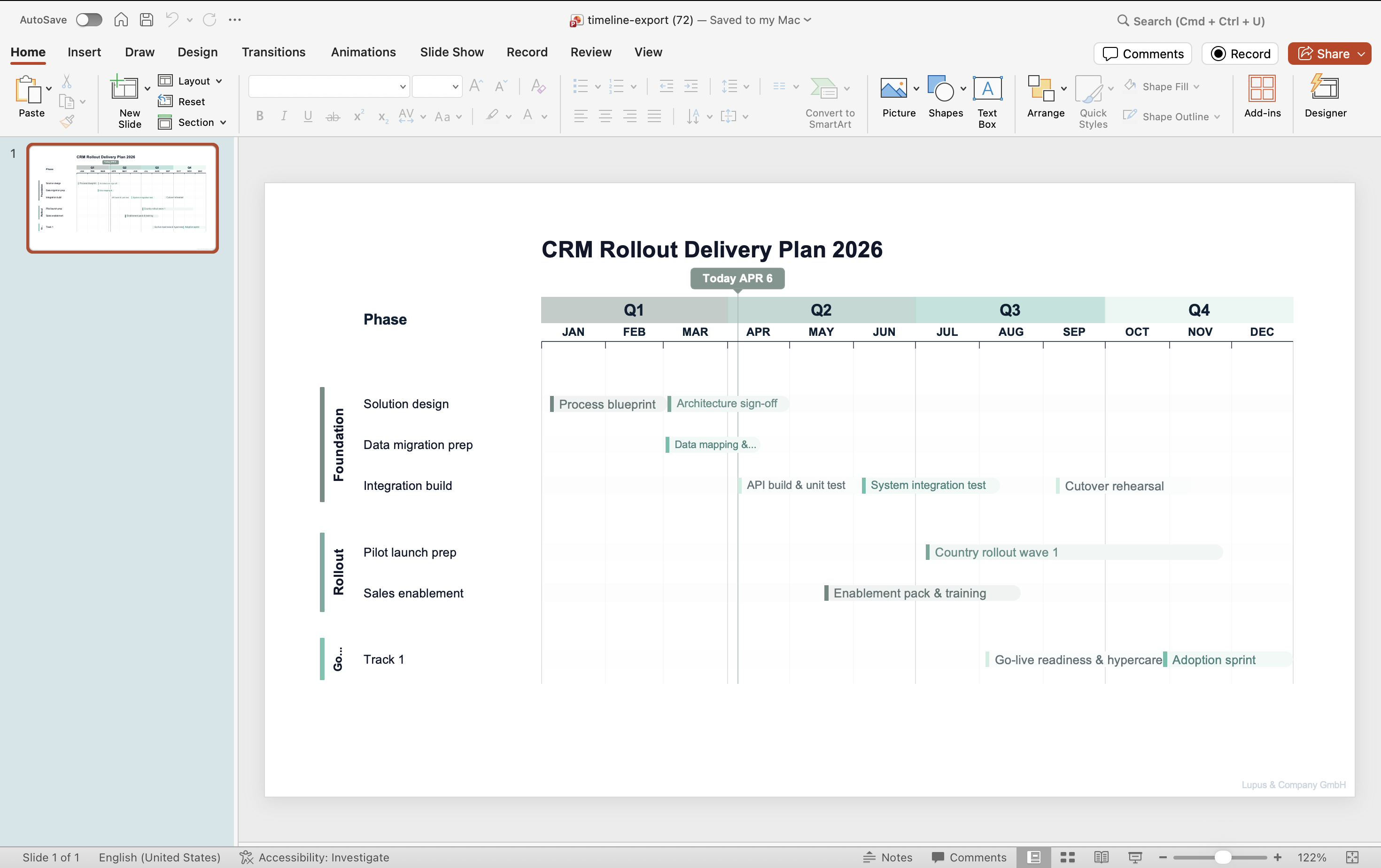
PowerPoint roadmap slide generated with Lupus Labs — gantt-style workstream view with quarterly breakdown
A roadmap slide format built for presentation use, not only for planning detail.

FAQ

Practical questions before you try it

Is this for executive decks or working-level project updates?

It is strongest when the slide needs to work in leadership, steering, or board-style presentations.

Can I still adapt the slide to my own firm's template?

Yes. The value is getting to a stronger first draft faster, not replacing all final formatting choices.

Why use this instead of a static PowerPoint download?

Because the workflow gets you to a usable slide faster and usually reduces the clean-up a weak static template still creates.

Try Lupus Labs

Build this version in the app

Start in the browser, shape the slide around your own content, and move the result straight into PowerPoint.