
Use cases

Executive roadmap slide for leadership and steering updates

Use a roadmap format built for leadership updates, steering meetings, and management decks.

Use cases

This slide has to earn its place in the meeting

A roadmap slide is only useful if it makes the situation legible in one pass. The best structure depends on what the audience has to understand or decide.

What usually gets in the way

Executive audiences need signal, not slide noise.

  • Detailed planning views do not automatically work for executives.
  • Leadership decks need clarity and sequence, not too much detail.
  • Manually simplifying roadmap content takes time every single update cycle.
How Lupus Labs helps

Lupus Labs helps teams create a cleaner executive roadmap slide without rebuilding the format manually.

Executive audiences care more about sequence, milestones, and signal than about planning detail.

Benefits

Why this scenario becomes easier to explain

The value is not abstract. It is getting to the slide this meeting or update actually needs, without rebuilding the format every time.

Cleaner leadership communication

Show what matters most in a format that fits management decision-making.

Faster deck preparation

Reduce the time spent simplifying and redesigning roadmap slides.

Better steering discussions

Give stakeholders a view that is easier to scan and discuss quickly.

Use cases

What the slide needs to make clear

Look for a slide that makes the audience, the level of detail, and the decision path clear in one pass.

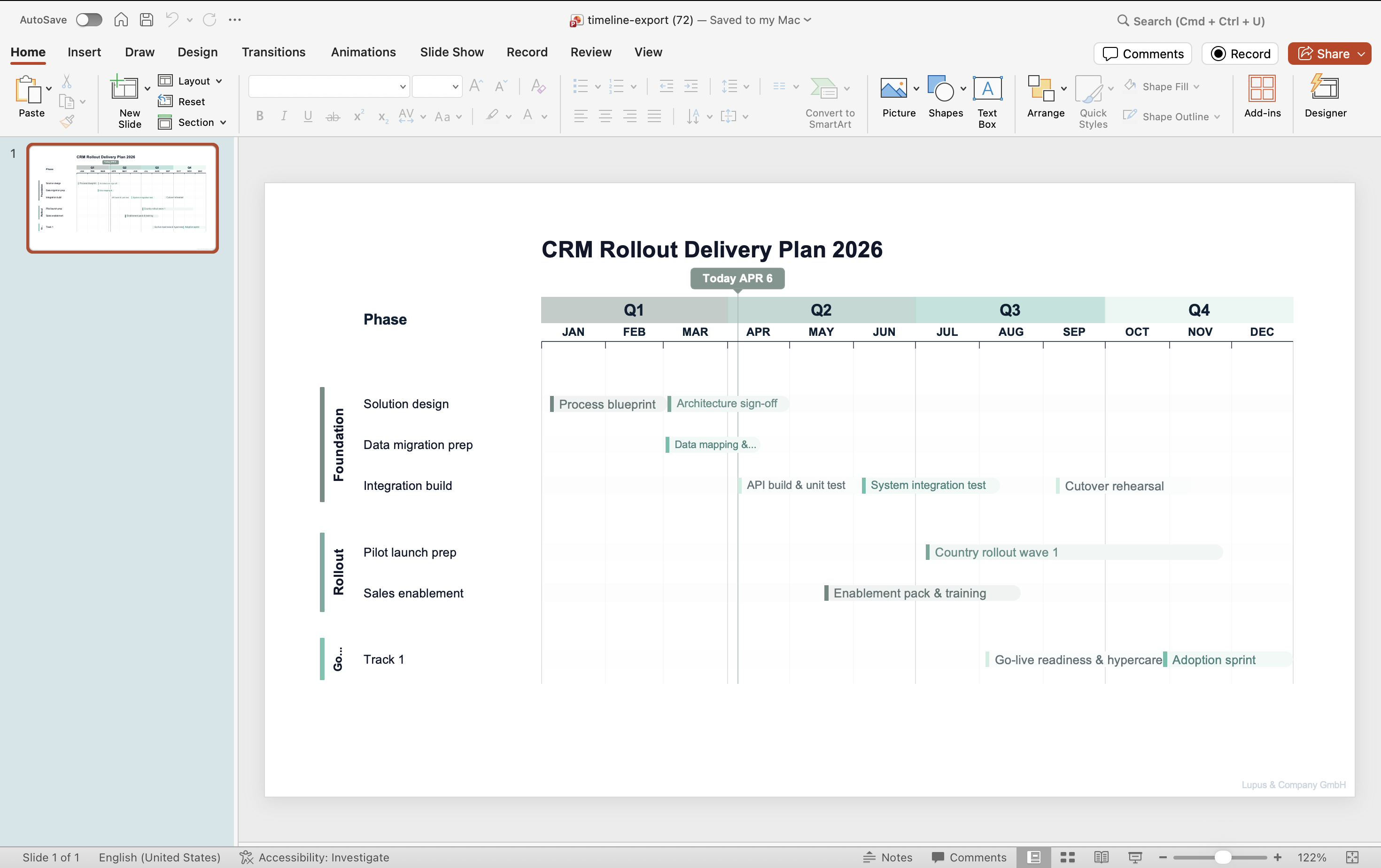
PowerPoint roadmap slide generated with Lupus Labs showing structured workstreams and timeline
A roadmap view shaped for leadership communication and steering meetings.

FAQ

Questions that come up in practice

Is this different from a detailed project plan?

Yes. It is built for executive communication rather than detailed planning control.

Can consultants use it for steering decks?

Yes. It is especially useful for steering decks, board updates, and leadership presentations.

Try Lupus Labs

Build the slide for this scenario now

Open the app, shape the roadmap around your story, and use the result in the deck you are already building.