
Templates

Roadmap PowerPoint template that already looks presentation-ready

Use a stronger starting point when a weak static template will create more clean-up than speed.

Templates

A roadmap template only helps if it survives contact with a real deck

The useful test is simple: does the first draft already read clearly in PowerPoint, or does it immediately create redesign work?

What usually gets in the way

Most roadmap templates save less time than they promise.

  • Downloaded templates often need a full visual clean-up before they can go into a deck.
  • Add-ins feel too heavy when you only need one clear roadmap slide.
  • Repeated updates turn into manual box-moving and label alignment.
How Lupus Labs helps

Lupus Labs helps you start from a stronger roadmap structure and get to a slide you can actually use in PowerPoint.

The broad roadmap format is the safest starting point for steering decks, client work, and recurring status updates.

Benefits

Why this template saves time after the first click

The point is not only to start faster. It is to start from a structure that still looks credible once it is inside a real deck.

Credible first draft

Get to a roadmap slide that already feels suitable for steering decks and client presentations.

Less template clean-up

Spend less time fixing layout, spacing, colors, and timeline logic after the first draft.

Faster repeat updates

Reuse the same structure when dates, milestones, or workstreams change.

Templates

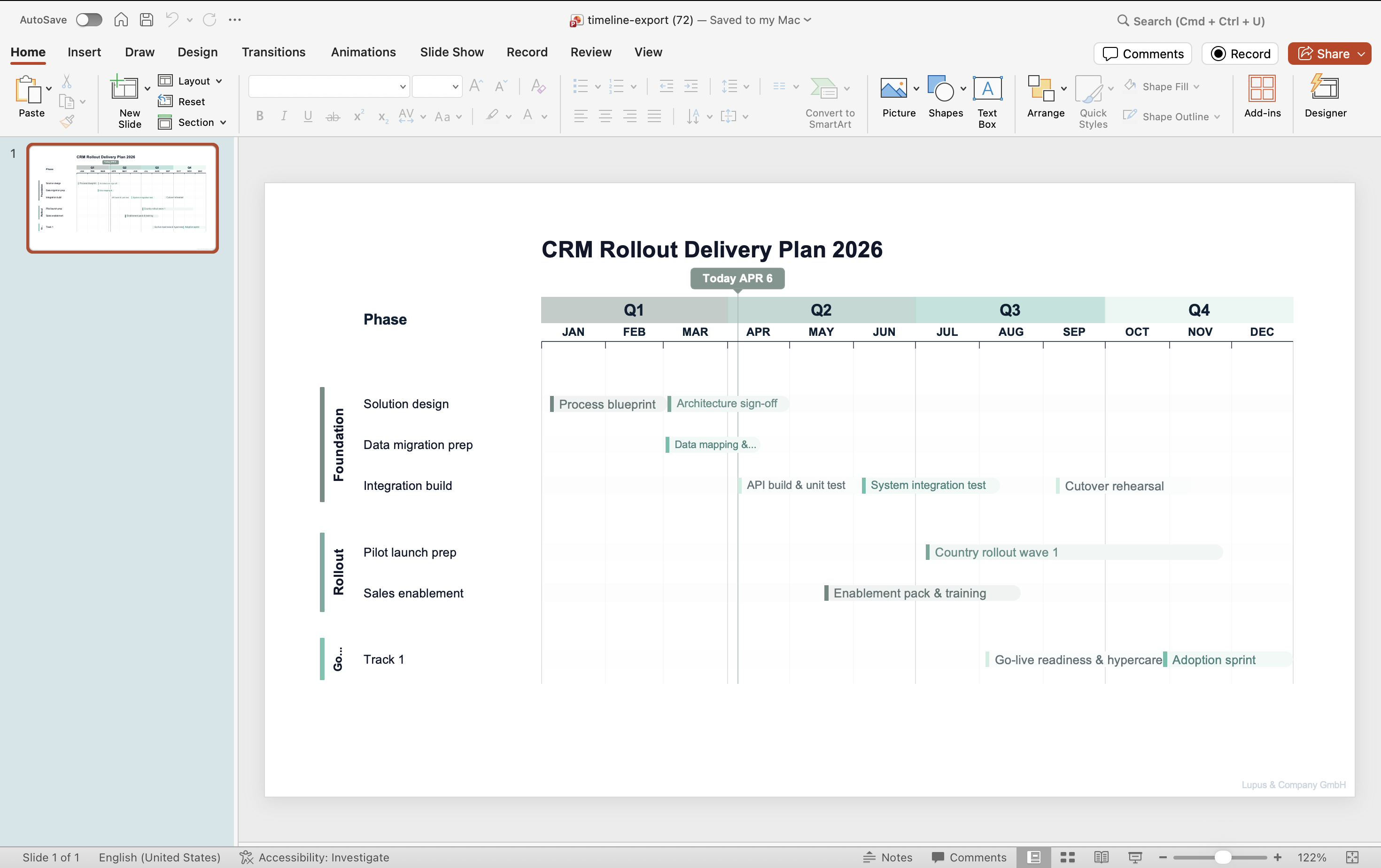
What the slide should already get right

Before choosing a template, check whether the slide already has the right balance of readability, hierarchy, and timeline logic.

PowerPoint roadmap slide generated with Lupus Labs — gantt-style workstream view with quarterly breakdown
Roadmap slide generated in the browser and ready to use in PowerPoint.

FAQ

Practical questions before you try it

Is it free?

Yes. You can open the app and start without paying.

Is this better than downloading a static template?

Usually yes. A static download often gives you shapes to rearrange. This workflow is more useful when you want a stronger first draft with less redesign work.

Can I still fine-tune the slide in PowerPoint?

Yes. The goal is to get you to a much better first draft, not to block final deck-specific editing.

Do I need an add-in or account?

No. The workflow starts directly in the browser.

Try Lupus Labs

Build this version in the app

Start in the browser, shape the slide around your own content, and move the result straight into PowerPoint.