
Templates

Milestone timeline PowerPoint template for PMO and status decks

Build a cleaner milestone timeline when a simple bar chart is not enough and a manual slide takes too long.

Templates

A roadmap template only helps if it survives contact with a real deck

The useful test is simple: does the first draft already read clearly in PowerPoint, or does it immediately create redesign work?

What usually gets in the way

Milestone timeline slides become unreadable quickly once labels, markers, and workstreams start to pile up.

  • Milestone markers often drift out of alignment.
  • Timeline labels compete for space.
  • The slide still has to look good enough for a steering or status deck.
How Lupus Labs helps

Lupus Labs helps you create a milestone timeline slide that is faster to build and easier to scan.

This format makes timing, milestones, and parallel workstreams legible at a glance.

Benefits

Why this template saves time after the first click

The point is not only to start faster. It is to start from a structure that still looks credible once it is inside a real deck.

Milestones that actually scan

Keep timing, markers, and workstreams readable without turning the slide into clutter.

One-page timeline story

Show progress, timing, and structure on one page without splitting the story across multiple slides.

Cleaner PMO updates

Create a timeline that can go into a project update or steering deck without another redesign step.

Templates

What the slide should already get right

Before choosing a template, check whether the slide already has the right balance of readability, hierarchy, and timeline logic.

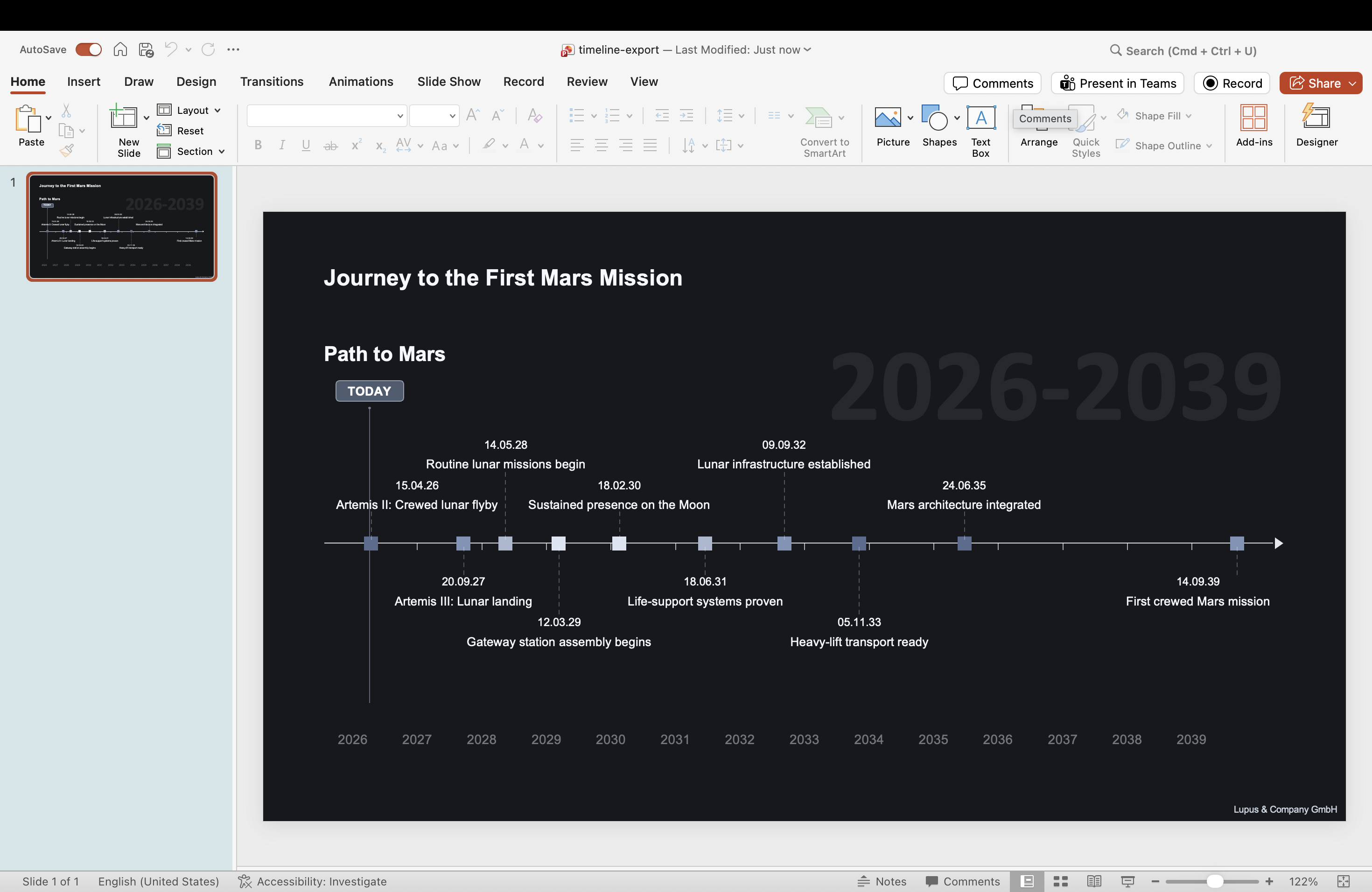
PowerPoint milestone timeline slide generated with Lupus Labs — event markers on a clean horizontal timeline
A timeline view that combines milestones and workstreams in a presentation-ready layout.

FAQ

Practical questions before you try it

Can I show several workstreams and milestone markers together?

Yes. That combined view is exactly what this format is built for.

Is this better than building a milestone timeline manually in PowerPoint?

Usually yes. The main gain is that you spend much less time on spacing, marker placement, and overall layout.

Is this meant for PMO status decks or executive updates?

It works best when the audience needs a clean milestone view in a PMO, steering, or status context.

Try Lupus Labs

Build this version in the app

Start in the browser, shape the slide around your own content, and move the result straight into PowerPoint.