
Templates

IT roadmap PowerPoint template for leadership and steering decks

Show platform work, migrations, rollout waves, and modernization plans in one slide-ready roadmap view.

Templates

A roadmap template only helps if it survives contact with a real deck

The useful test is simple: does the first draft already read clearly in PowerPoint, or does it immediately create redesign work?

What usually gets in the way

IT roadmaps usually combine too many parallel streams to fit cleanly into a weak template.

  • Platform, migration, rollout, and adoption work compete for space.
  • Leadership decks need clarity without technical clutter.
  • Recurring IT update slides are costly when they have to be rebuilt each time.
How Lupus Labs helps

Lupus Labs helps IT teams start from a clearer roadmap structure and get to a usable slide faster.

This format translates technical work into a clearer roadmap for leadership, PMO, and cross-functional steering groups.

Benefits

Why this template saves time after the first click

The point is not only to start faster. It is to start from a structure that still looks credible once it is inside a real deck.

Cleaner technology story

Show platform, migration, rollout, and adoption work in a format leadership can scan quickly.

Better fit for CIO and steering decks

Use a roadmap structure that works in management reviews and cross-functional steering meetings.

Lower update cost

Reduce the manual PowerPoint effort behind regular IT roadmap reporting.

Templates

What the slide should already get right

Before choosing a template, check whether the slide already has the right balance of readability, hierarchy, and timeline logic.

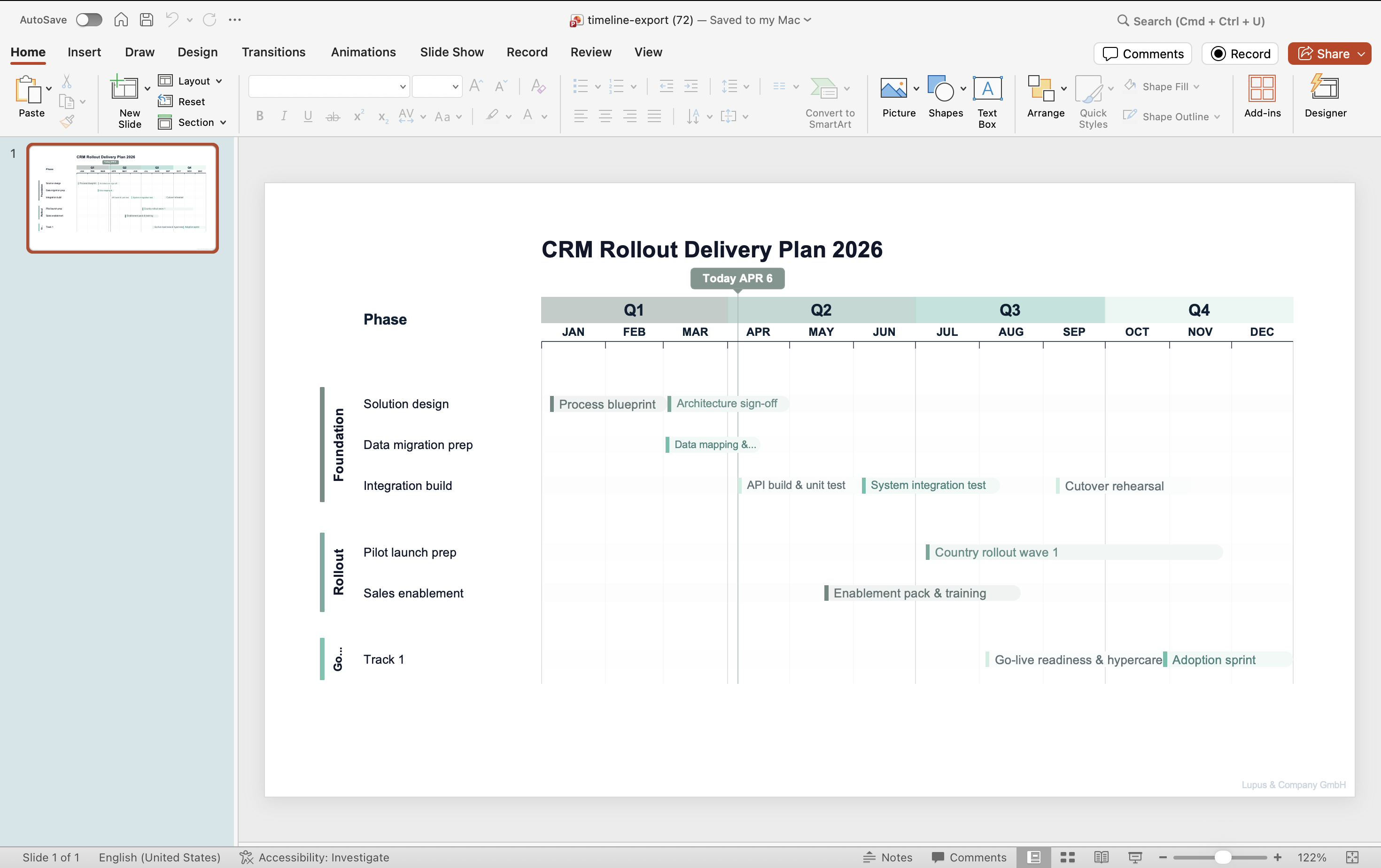
PowerPoint roadmap slide generated with Lupus Labs — gantt-style workstream view with quarterly breakdown
An IT roadmap view built for platform, rollout, and modernization communication.

FAQ

Practical questions before you try it

Can this show migrations, rollout waves, and platform work together?

Yes. It is a good fit for technology communication with several parallel workstreams.

Is this only for strategy-level slides?

No. It works for leadership-facing updates, steering decks, and recurring IT roadmap communication.

Can PMO and IT leaders use the same format?

Yes. It is especially useful when both technical and non-technical stakeholders need the same high-level roadmap view.

Try Lupus Labs

Build this version in the app

Start in the browser, shape the slide around your own content, and move the result straight into PowerPoint.